
If clear_print_queue desktop shortcut on manager's computer does not work.
1) Checking cable connections
1-1 Unplug and re plug on the back of the computer (push & hold the bottom clip to release)
USB printer cable
Not the same
2-2 if printing still doesn't work immediately. Reboot the computer, If may take up to 2 reboots
2) Testing test page
1. Bottom left corner of windows in search field "printer". Under printer & devices. Look for "printer"
Make sure it is not greyed out.

(Not as shown)
2. Right click and choose properties
3. Click the "Print Test Page"
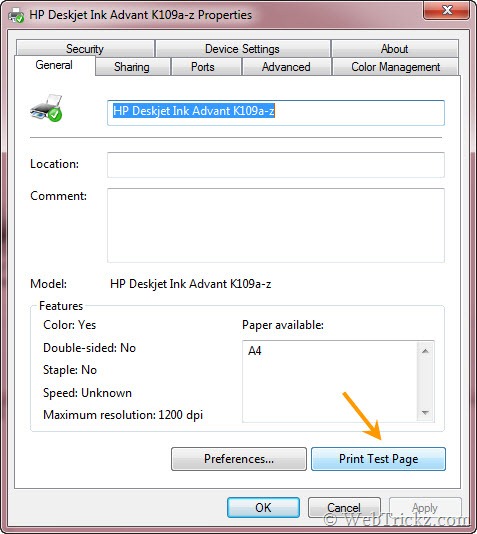
(Not as shown)
3. Make sure "Use Printer Offlline" is unchecked.

3. If you still can't print check the cable carefully on both sides. Swap with another printer and try same test again.